

What is this Feature?
🧪 This feature is currently in BETA and available to all users
Watch How to Leverage the IM Knowledge Graph Tool
Setup Instructions
Enable the IM Knowledge Graph Tool
Select Illustrative Mathematics Knowledge Graph Tool from the available MCP tools list.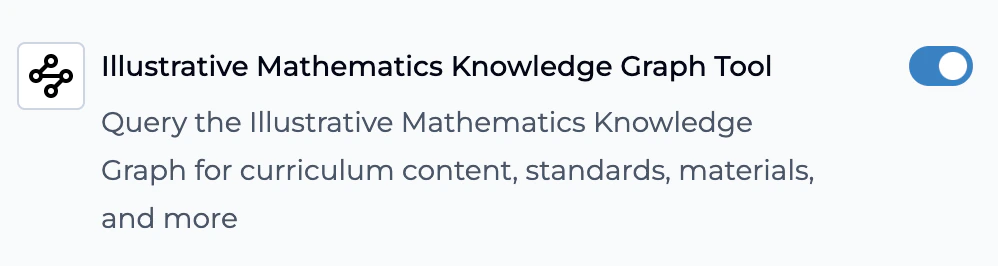
Configure Your App Prompt
Add these instructions to your Playlab app prompt for optimal performance:
Test Different Query Types
Validate the tool works correctly by testing various query categories:Concept Queries: “How does IM approach teaching fractions in grade 3?”Resource Requests: “Find IM activities for area and perimeter introduction”Standards Alignment: “What standards does IM Grade 5 Unit 4 cover?”Learning Progressions: “How does IM sequence ratio and proportion concepts?”
Understanding Knowledge Graphs in Education
What Makes This Different
A curriculum knowledge graph goes beyond simple content storage. It maps the relationships between educational concepts, learning objectives, and teaching strategies in ways that mirror how students actually learn and how expert educators design instruction.The IM360 Advantage
This knowledge graph captures the pedagogical reasoning behind Illustrative Mathematics curriculum design. It understands:- Sequential Logic: Why concepts appear in specific order
- Conceptual Connections: How mathematical ideas build upon each other
- Teaching Strategies: Specific IM approaches to common misconceptions
- Assessment Integration: How formative and summative assessments align
Key Capabilities
Curriculum Content Access
Query specific lesson plans, activities, and instructional materials aligned to IM’s research-based scope and sequence
Standards Integration
Find direct connections between IM content and educational standards across all grade levels
Learning Progression Mapping
Understand conceptual development within the IM curriculum framework and across grade levels
Assessment Resources
Access formative and summative assessment materials, rubrics, and evaluation strategies
Prerequisite Analysis
Identify essential prior knowledge students need before tackling specific concepts
Cross-Curricular Connections
Discover how mathematical concepts connect across different units, topics, and grade levels
Use Case Examples
| User Type | Use Case | Example Query | Expected Outcome |
|---|---|---|---|
| Teachers | Lesson Planning | ”What IM activities help students understand equivalent fractions?” | Specific IM activities, materials, and teaching sequences |
| Differentiation | ”What prerequisite skills do students need for algebraic thinking in grade 4?” | Learning prerequisites and scaffolding strategies | |
| Assessment | ”How does IM assess student understanding of geometric measurement?” | Assessment rubrics, formative checks, and evaluation methods | |
| Curriculum Coordinators | Vertical Alignment | ”How does IM develop proportional reasoning from grades 6-8?” | Multi-grade learning progression and concept development |
| Standards Mapping | ”Which IM lessons address specific Common Core standards?” | Standards-to-lesson alignment and coverage analysis | |
| Professional Development | ”What’s the research basis for IM’s approach to teaching multiplication?” | Pedagogical rationale and research foundations | |
| Instructional Coaches | Teacher Support | ”How can I help teachers implement IM’s problem-based approach?” | Implementation strategies and best practices |
| Misconception Analysis | ”What common student errors does IM address in fraction operations?” | Student misconceptions and targeted interventions | |
| Resource Identification | ”What IM materials support English language learners in mathematics?” | ELL-specific resources and adaptations |
Frequently Asked Questions
Which AI models work best with this tool?
Which AI models work best with this tool?
Tier 1 Performance (Recommended):
- Claude Sonnet 4.6 - Excellent balance of speed, accuracy, and tool integration
- GPT 5.2 - Superior for complex curriculum analysis and detailed responses
- Gemini 3.1 Pro - High accuracy with comprehensive educational content analysis
- Claude Opus 4.6 - Most thorough analysis but slower response times
- Claude Sonnet 4.5 - Strong curriculum analysis with good reasoning
- Kimi K2.5 - Advanced tool usage with solid educational content handling
- Claude Haiku 4.5 - Faster responses with reduced analysis depth
- Gemini 3 Flash - Quick queries for simple curriculum questions
How does this differ from general AI math assistance?
How does this differ from general AI math assistance?
The IM Knowledge Graph Tool provides curriculum-specific, research-based content rather than generic mathematical explanations. It knows IM’s specific pedagogical approaches, exact activities for different grade levels, and how concepts connect within the IM scope and sequence.
What grade levels are covered?
What grade levels are covered?
The knowledge graph includes comprehensive data across all IM360 curricula, spanning elementary through high school mathematics.
How current is the curriculum data?
How current is the curriculum data?
The knowledge graph reflects the 2025 version of IM360, ensuring you have access to the most recent curriculum updates and improvements.
Can I find connections between grade levels?
Can I find connections between grade levels?
Yes! The knowledge graph excels at revealing how concepts develop vertically across grades, making it invaluable for understanding learning progressions and ensuring smooth transitions between grade levels.
What about content not in IM curriculum?
What about content not in IM curriculum?
While focused on IM content, the tool provides valuable insights into IM’s pedagogical approaches that can inform teaching of related topics. You can supplement with additional knowledge files through Playlab’s reference system.
How does this support differentiated instruction?
How does this support differentiated instruction?
The tool identifies prerequisite skills, suggests alternative activities for diverse learning needs, and helps teachers understand the full range of support materials available for each concept.
Can administrators use this for professional development?
Can administrators use this for professional development?
Absolutely! The knowledge graph helps educators understand the pedagogical reasoning behind IM curricula, research foundations for instructional decisions, and best practices for implementation.
Does this work with existing Playlab features?
Does this work with existing Playlab features?
Yes! The IM Knowledge Graph Tool integrates seamlessly with other Playlab features, including reference files, custom instructions, and existing MCP tools.
Learn More
Learn About MCP
Discover how Model Context Protocol enables reliable AI tools for education
Need Support?
We’re continuously improving this tool based on user feedback. Contact our team at support@playlab.ai for implementation guidance, troubleshooting, or to share your success stories.Last updated: August 26, 2025